Title here
Summary here


October 22, 20265 minutes
We’re very excited to announce the latest release of OpenFusionLauncher: v2.3.0. This is a big release with lots of improvements, both big and small.
This release comes with a massive change: a 64-bit port of the game engine to Unity 4. This is a huge leap forward in modernizing FusionFall to run on today’s hardware. It boasts an increase anywhere from +50% to +100% FPS (in our testing) as well as improved graphics, fewer crashes, and higher performance. It also allows assets to be fetched over HTTPS without a proxy, so the proxy server will not be started if 64-bit mode is selected.
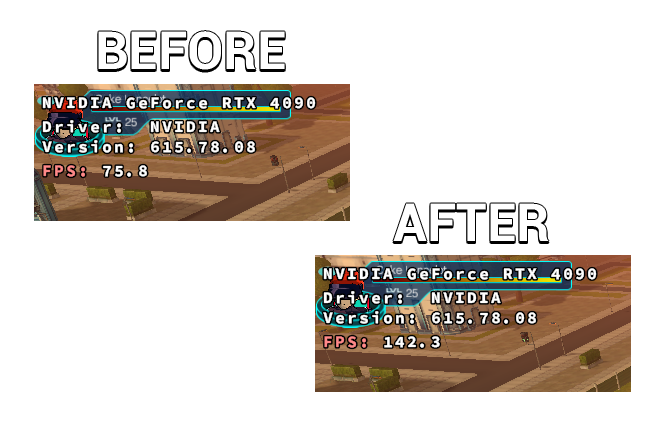
Running the original 32-bit engine is a significant performance hurdle on macOS specifically, so this new engine makes the game much more playable on that platform. As such, we have removed warnings of macOS being severely limited on performance from the website and associated documentation.
Although the community has tested this new engine pretty thoroughly, you will likely run into brand-new bugs. Please feel free to report these bugs to us in our #tech-support channel on the OpenFusion Discord.
If you’d like to switch back to the original 32-bit engine for whatever reason, you can choose it in the Game Settings page under the Web Player Architecture setting.
Certain special links (ofl://... or redirects like this one) can now be opened with OpenFusionLauncher v2.3.0 or later. This makes it easier than ever for players to add servers to their server list. When these links are visited, the launcher will automatically pre-fill the server details in the Add Server modal, so players don’t have to manually type in the details themselves.
If a player visits a link for a server that is already added, the launcher will ask the player if they want to launch that server. Players can even allow the launcher to automatically launch the server on future visits to the link:
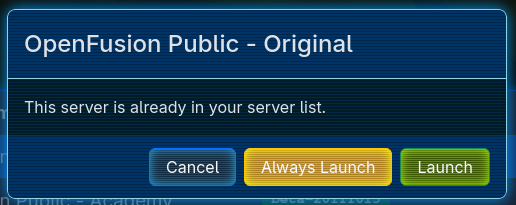
This allows you to do all sorts of cool stuff, like adding browser bookmarks or desktop shortcuts to one-click launch the game.
It’s important to note that this deep linking functionality required a major behavioral change to the launcher: you can now only have one copy of the launcher open at a time. Attempting to open the launcher multiple times will now un-hide and focus the existing copy of the launcher. This still allows for multiple copies of the game to be launched at a time.
If you’d like to avoid having to re-open the launcher for each game session you’d like to launch, you can use the existing Launch Behavior setting in the Launcher Settings and set it to “Stay Open”.
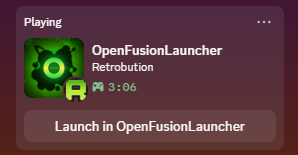
Discord integration has finally arrived to OpenFusionLauncher! Whenever you launch the game through the launcher, Discord will now show others that you are playing OpenFusionLauncher and will also show how long your game session has been going on for.
If you are playing on an OFAPI-enabled OpenFusion server (such as Retrobution), others will also be able to see which server you’re playing on. Thanks to deep linking, they will even be able to click the shown button to add that server to their launcher or even launch that server automatically if they already have it.
{MY_VARIABLE}.file://).Full changelog available here.
The launcher can be grabbed from our Downloads Page or the GitHub Release Page.